Pgadmin Screen
1 2018-09-05T19:30:01+00:00 Peter Cobb 29b5ca8528741ed24b5845551abe7867c123652d 4 1 plain 2018-09-05T19:30:01+00:00 Peter Cobb 29b5ca8528741ed24b5845551abe7867c123652dThis page is referenced by:
-
1
2018-08-27T19:19:02+00:00
Software
4
plain
2018-09-06T20:51:17+00:00
The relational database is only a concept, a technical design. In order to actually use a relational database, you must first install software on your computer. There are many implementations of this concept in actual software and you may be familiar with brand names like Oracle or Microsoft Access. Working with databases is somewhat similar to working with any specific file type. For example, before you can manipulate an image file, you need to have software on your computer like Gimp or Photoshop. In this guide we will make use of two open source and free software packages, Libreoffice Base and PostgreSQL. Both of these softwares run on almost any computer desktop operating system.
Rather than introduce software in general, this guide will use these two specific software packages throughout. The main focus of this guide is to teach the fundamentals of relational databases, and all of the different software options basically implement these fundamentals in the same way. Therefore, we encourage you to first learn these concepts by using the specific implementation of Libreoffice Base and PostgreSQL, since they are free. After that, you should be able to take your new skills and move to any other software package and learn it quickly.
Libreoffice is a free, open source software family that includes programs for creating spreadsheets, text documents, and drawings. Base is the specific program in this family for working with databases, and we will use this to interact with our data. In Base we can create user-friendly data entry forms, write queries easily, and explore the database tables. Put another way, Base will be the user interface or front-end to our databases.
PostgreSQL, on the other hand, is a powerful software for storing the actual database tables and data. In PostgreSQL, we will create tables and structure all of the fields carefully. We will also setup the relationships among the tables in this software. PostgreSQL can be considered the back-end for our databases.
Another set of terms you might see for the relationship between the two software packages is client-server. PostgreSQL serves the database itself. Software clients connect to this server in order to use the database. Libreoffice Base is one of many possible clients. Geographic Information System (GIS) software can also act as a client to the PostgreSQL database server.
Why do we use two different pieces of software at the same time? Developing software takes significant time and resources, so companies tend to limit the scope of what their software can do so that they can focus those resources. By breaking up functionality, it becomes simpler to build good products, and different groups or companies can focus on building different products to fit different needs. PostgreSQL was designed to be used as a powerful database server, allowing many users to connect and use the same data at the same time. It is extremely reliable and is used by many big internet companies in their own products. PostgreSQL protects your data and provides excellent tools for creating data structures. On the other hand, it does not provide an easy way to actually enter data into the tables. You cannot design forms that present a user-friendly way to enter data. This, however, is one of the strengths of Libreoffice Base. Although you can create data tables in Base, it is not designed to be used by more than a single user at the same time, and most archaeological projects have many users.
PostgreSQL does come with another piece of client software called Pgadmin. This software actually runs in your web browser, connecting to the database server. Pgadmin enables basic administrative tasks, including the creation of fields, tables and relationships. In the following image, we see what the PostgreSQL tables look like as viewed through Pgadmin (left), and what it looks like to create a new table in the database (right):
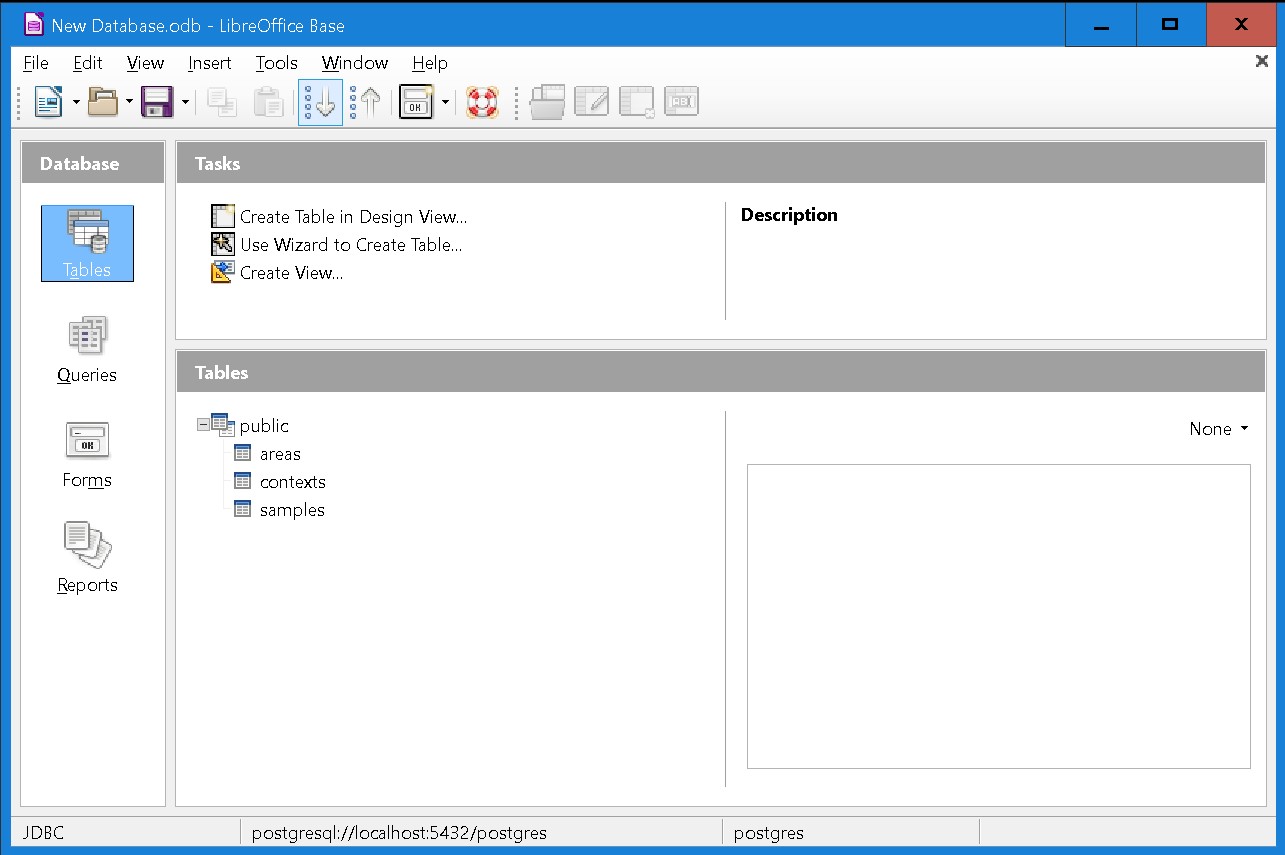
In this image we see what it looks like to view the same tables in Libreoffice Base, via the connection made to PostgreSQL:
Here we will step through the installation of both software packages and then demonstrate how to connect them. Although these steps are somewhat complex, they only need to be done once. After that, you can use your software freely on the computer on which it is installed.